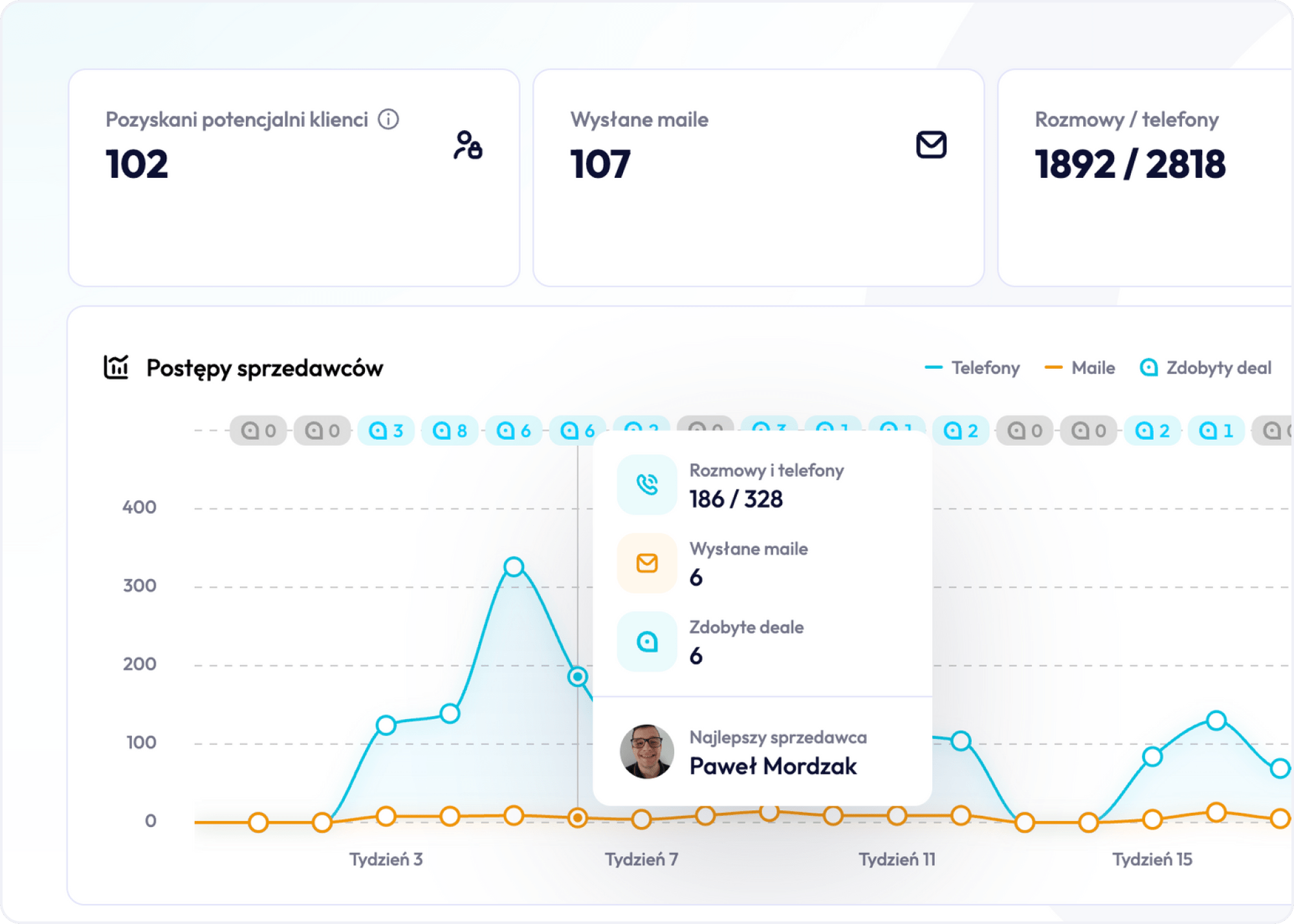
The AI Agent in Sales
A salesperson ends the day with twenty calls on the calendar, half of which shouldn’t have happened at all. A lead that came in through a form doesn’t match any ICP criterion, but someone in marketing counted it as a generated contact and that was that. AI agents in sales show up exactly at this point, where the process wastes time on things that could have been filtered out automatically before they ever reached the sales system.
Where does artificial intelligence actually enter the process, what does it genuinely do in place of a human, and where does its sensible use end?
What Are AI Agents in Sales, and How Do They Differ From Rule-Based Sales Automation?
Classic sales automation runs on if/then conditions. If a lead filled out a form, send them email number one. If they opened the email, assign a point. This works fine as long as the situation fits the scripted scenario. The problem starts where a customer does something nobody programmed for, for example replying with a question that doesn’t fit any template.
An AI agent works differently, because it doesn’t execute a rule, it makes a decision based on context. The system analyzes the message content, the contact’s history in the CRM, and only then decides what to do next: hand off to a salesperson, send another message, or close the thread. This is a practical difference, not a theoretical one: the foundations of rule-based sales automation stop working exactly where any unforeseen variable begins, and that’s precisely where an AI agent is supposed to start acting sensibly. In practice, this also means business process automation stops being purely an IT domain and moves directly into the sales team’s remit.
Where Does Sales Process Automation Actually Lighten the Team’s Load, and Where Does It Just Look Good on Paper?
The Most Commonly Automated Sales Processes
Sales process automation is often presented as one big project, but in practice it works best when applied to single, repeatable tasks. The most commonly automated processes are the ones a salesperson performs identically every time: filling in data after a call, sending a follow-up, assigning a lead to the right person.
Sample Scenario: Call Notes Instead of Manual CRM Entry
Sample scenario: a sales team spends an hour every day copying call notes into the CRM. An AI agent that transcribes the call and fills in the system fields itself doesn’t directly shorten the sales cycle, but it frees up time the salesperson can spend on the next call. This is one of the most measurable examples of automation, because the effect shows up in the number of calls made, not just in declarations.
When Does Automating Various Processes Start Doing Harm?
It looks worse when a company automates a stage that still requires human judgment, for example the final negotiation of terms. At that point, automating various processes turns into artificially filling in fields that someone still has to correct manually later. The elements of sales automation that make sense are always the repeatable ones stripped of nuance, not the ones requiring situational judgment. Sales automation features are worth evaluating not through the lens of what’s technically possible to automate, but through the lens of where the team’s time is actually being saved.
How to Roll Out Sales Process Automation in Stages
- Automating sales processes usually covers communication first, and only later moves on to internal data.
- Companies that start automating sales processes from the technical side, without first mapping the process itself, end up with a tool nobody uses.
- A well-executed automation of sales processes starts by answering the question of which step in the sales funnel eats up the most of the team’s time, and only then picks the technology.
- Teams that treat automating sales processes as a one-off project rather than ongoing work usually end up back at square one after a few months.
- It’s worth rolling out automation of various processes in stages: one step first, then the next, never all at once.
- An AI agent meant to support automating several processes at the same time, without first sorting out the implementation order, introduces more chaos than actual time savings.
- Automating various processes is best started where a mistake costs the least and the effect shows up fastest.

CRM as the Foundation of Automation: Why CRM Systems Won’t Work Without Organized Customer Data
Why Messy Data Breaks Every Automation
No AI agent will fix messy data. That sentence sounds like a cliché until you see a concrete case: the SDR qualifies leads by one set of criteria, the AE by another, and the CRM very quickly starts showing a pipeline full of opportunities that never should have been there. The problem only surfaces at forecasting time, when it turns out half the projected deals have no chance of closing.
CRM systems are the starting point for every automation, because an AI agent makes decisions based on what it sees in them. If customer data is incomplete or contradictory, the agent will make a bad decision just as efficiently as a human would, only faster and at greater scale. Customer data management stops being a matter of tidiness and becomes the condition without which the rest of the automation simply doesn’t work.

Customer Data Management and Data Collection Automation Together
Data collection automation, for example automatically pulling company information from public sources when a new contact is added, reduces errors right at the point of entry. A CRM system then becomes more than just a place to store contacts: it becomes the actual source of truth about the status of every sales opportunity, not just an archive of messages.
Customer data scattered between a spreadsheet, an inbox, and a sales system is the everyday reality for many teams before anyone even tries to automate it. A CRM system lets you merge these sources into one place, but only if someone makes sure customer data lands there at the moment it happens, not once a week during an inbox cleanup. Data collection automation, combined with validation at the point a record is entered, cuts down on duplicates and gaps in the customer profile.
Customer data management without this kind of automation stays manual work, the very thing the AI agent was supposed to take off the team’s plate. A CRM system also lets an AI agent make better decisions, because it sees the full contact history, not just a fragment jotted down by chance by one salesperson.
Good customer data management combined with consistent data collection automation together form the condition without which every subsequent automation further down the process ends up working on incomplete information.

Manual Data Entry as the Most Expensive Mistake in the Sales Process
Manual data entry looks like a minor inconvenience until you count how many times the same customer information gets typed in from scratch: once in a spreadsheet, once in the sales system, once in the invoicing system. Every repetition is a chance for a typo, a skipped field, or an outdated version of the data.
Entering customer data manually has another cost that rarely comes up: the salesperson’s time. As a rough model, if an AE spends fifteen minutes a day updating the system, that adds up to several hours a month that could have gone into customer conversations. Data entry automation, for example through integrating the CRM with email and calendar, eliminates this cost almost entirely, because data enters the system at the moment the event happens, not after the fact, when someone remembers to log it or doesn’t. Entering customer data then stops being a separate task for the salesperson and becomes a side effect of normal work in the system.
Lead Scoring and Lead Management: Are Prospects Reaching the Right Salesperson?
Lead scoring without clearly defined criteria is, in practice, a lottery with a nice interface. Scoring based purely on activity, like opening an email, rewards curiosity, not readiness to buy. Prospects who genuinely have budget and decision-making power can end up waiting in line behind people who just clicked a newsletter link.
Lead management supported by an AI agent involves more than assigning points for clicks. The agent can assess the content of an inquiry, the company’s industry, and the moment in the buying cycle, and only then decide whether to pass the contact to a salesperson now or add them to a further sequence. Customer acquisition processes gain one important thing from this: a salesperson gets contacts on their desk that are genuinely worth calling, not everything that happened to land in the system.
How Customer Acquisition Processes Gain in Quality, Not Just Volume
Customer acquisition processes that rely purely on contact volume produce exactly that effect: a lot of work, not much sales. Prospects entering the system without an initial assessment end up in the same queue as random contacts, which further overloads salespeople. When customer acquisition processes are paired with an agent evaluating contact quality at the point of entry, prospects with real buying potential reach a conversation faster instead of waiting in the same line as random inquiries. Before an AI agent can start evaluating, prospects need to enter the system in a way that allows them to be distinguished from low-quality contacts at all, otherwise the entire scoring model runs on bad input data.

LinkedIn Prospecting and Working With Sales Navigator, When an AI Agent Does the Research for You
LinkedIn prospecting can consume more time than the actual sales conversations. Searching through profiles, checking whether a company fits the ICP, looking for mutual connections: all of it takes hours before the first sentence is even said to a prospect.
An AI agent connected to Sales Navigator can do that research for the salesperson: gather company data, check recent staffing changes, catch buying signals, for example a job posting for a role that suggests the team is growing. The sales team’s work then shifts from searching databases to holding conversations, because the research is already done before the salesperson even opens the contact’s profile. LinkedIn prospecting only makes sense when the prospects selected this way actually match the ideal customer profile, not just have an active profile.
Customer Service Automation: Where Does It Save Time, and Where Does It Start Costing You the Relationship?
Where Customer Service Automation Works Well
Customer service automation works great where the question is repetitive: order status, delivery date, invoice details. An AI agent answers in seconds and doesn’t involve the customer service team at all in a matter that doesn’t require their decision.
Where Service Automation Starts Costing More Than It Saves
It looks worse when service automation tries to replace a conversation where a customer has an unusual problem or is clearly frustrated. A customer service process that rigidly sticks to a script in that situation can escalate a conflict instead of resolving it. Service time genuinely drops when the agent takes over simple cases, but the cost of service rises if difficult cases go to a bot instead of straight to a human.
A Test for Order Handling Time
A good test is order handling time: if automation shortens it from two days to a few hours for standard orders, that’s concrete business value. If a customer with a nonstandard problem has to go through three levels of bot before reaching a human, automation starts costing more than it saves, in complaints and in lost customers.
Customer Service Automation for Sorting Tickets
Customer service automation also works well for escalations: an AI agent can pre-sort tickets by urgency before they reach the customer service team, which shortens response time for genuinely critical cases. Well-designed customer service automation doesn’t replace a human in a difficult conversation, it filters out the cases where a human doesn’t need to get involved at all. The customer service process gains predictability as a result: the agent handles standard matters, and unusual ones go straight to the right person, without getting lost in a bot menu. Order handling time can then be measured separately for standard and nonstandard cases, giving a real picture of where automation genuinely helps and where it just delays the problem.
Automated Quote Generation and Contract and Order Management
How Automated Quote Generation Shortens the Time From Call to Document
Automated quote generation based on data from the CRM, product, price, terms, can shorten the time from a call to sending the document from two days to a few minutes. An AI agent fills in the template with data from the system, and the salesperson checks it instead of building it from scratch.
Contract and Order Management Supported by an Agent
Contract management goes a step further: the agent can track renewal deadlines, flag unusual clauses in the terms, and signal when a contract deviates from the standard template. Order management uses the same logic, especially with repeat customers who regularly order the same items. Sales process handling at this stage stops relying on tracking deadlines in a spreadsheet and starts working off automatically generated reminders. Sales operations gain a level of consistency that a human simply can’t maintain error-free with a large customer base.
Sales Operations at the Quoting and Contract Stage
- Automated quote generation works best when the product catalog and price list are organized in one place, because an AI agent can’t invent the correct price if two conflicting versions of the price list are circulating in the system.
- Sales operations at the quoting and contract stage gain consistency as a result: every document looks the same, regardless of which salesperson sent it.
- Sales operations that used to require manually copying data between the quoting system and the sales system now happen automatically in the background.
- Sales operations also gain in response time: the customer gets a quote the same day, not after two days waiting for a salesperson’s free slot.
- Good sales operations at this stage mean, in practice, fewer emails asking where the quote is and more time for conversations with the next customers.
- Sales operations for repeat orders use the same logic: the agent generates a document based on that same customer’s previous orders.
Upselling and Building Customer Relationships Through Automation
Upselling works best when the offer appears at the right moment, not too early and not at random. An AI agent tracking product usage patterns can suggest an upgrade exactly when a customer is genuinely approaching the limit of their current plan, not at a random point in the campaign calendar.
Building Customer Relationships Through Automation
Building customer relationships through automation sounds like a contradiction, but in practice it means something simple: the agent reminds the salesperson to reach out when a customer has gone quiet longer than usual, or flags a drop in activity before it becomes a problem. Managing customers through automation then involves not just the service team reacting to a ticket, but sales acting proactively, before the customer even starts thinking about canceling. Upselling based on real product usage data converts noticeably better than a standard email campaign blasted to the entire database at once.
Agent-supported upselling also works in the other direction: the system can warn a salesperson that a customer is using the product below the typical level, which can be a churn risk signal rather than an upsell opportunity. Managing customers through automation at the retention stage, not just acquisition, changes how the customer success team prioritizes its work every day. Upselling disconnected from real product usage data, based only on how long the contract has run, more often lands on unhappy customers than ones ready to expand their engagement.
Online Sales Automation: Selling Products, Marketplaces, and the Limits of Automation
How Online Sales Automation Differs From the B2B Model
Online sales automation runs on different logic than automation in a B2B model with a long decision cycle. Online sales rely on volume and speed of reaction, not on an individual relationship with each buyer.
Marketplace Sales Automation and Pricing Rules
Selling products through online channels, for example on large marketplaces, requires a different approach to automation: real-time updates to prices, availability, and descriptions. Marketplace sales automation, where competition is measured in single cents and minutes of reaction time to a competitor’s price change, is a good example of a situation where an AI agent monitoring the market and adjusting the offer works more effectively than any manual process. Product sales process in this model runs on pricing and availability rules, and the AI agent fills in the missing piece: reacting to changes in real time, instead of once a day.
The boundary is clear, though: marketplace sales automation works well for standard products with low-complexity purchase decisions. Where a customer needs advice, for example with more expensive B2B equipment, pure online sales automation stops being enough and the process has to go back to a human.
Online sales automation requires a different decision-making rhythm than B2B sales: a competitor’s price change of a few percent might require a reaction within minutes, not days. Online sales, where a customer compares offers across several open browser tabs at once, don’t forgive delays in updating availability or price. In practice, online sales automation means constant market monitoring, not a one-time setup of pricing rules at launch. Online sales built on automatic pricing rules handle high-turnover products well, but struggle more with niche inventory, where demand is unpredictable.

Product Sales Process: Descriptions, Inventory, and Success Metrics
The product sales process in this model also calls for a different approach to descriptions and photos: an AI agent can generate description variants for different audience segments, testing which version converts better.
Marketplace sales automation shows this most clearly, because listing visibility there depends directly on how current the price and availability are, updated in near real time. Online sales without this kind of automation lose ranking in the platform’s search results faster than a team could react manually. Online sales also require a different success metric than B2B sales: what matters is time to purchase, not the number of calls the team made. A product sales process that connects inventory data with pricing rules reduces the risk of selling something that isn’t actually in stock. As a result, online sales and B2B sales, despite sharing the word automation, require completely different tools and completely different team skills.
Marketing Automation vs. Sales Automation: Two Different Processes, One Goal
Marketing automation generates leads. B2B sales automation decides what to do with them next. The problem shows up when both departments treat these systems as separate worlds: marketing delivers numbers for a report, and sales gets contacts it can’t turn into conversations.
Marketing automation that scores leads purely on website activity, without accounting for signals that actually matter to sales, produces volume, not quality. When the two processes are connected, an AI agent can hand sales context from the entire customer journey, not just the fact that a lead exists, but what specifically interested them and what stage they’re at.
Why B2B Sales Automation Needs More Control Than Marketing Automation
B2B sales automation also differs from marketing automation in that the stakes of a single decision are higher: a flawed B2B sales automation can mean losing a real opportunity worth a full year’s contract, not just one mistimed email send. That’s why B2B sales automation requires more human control over the rules than marketing automation, which operates at higher volumes with lower risk from any single mistake. Companies that try to implement B2B sales automation with the same methods used for marketing automation, copying email campaign logic directly into the sales process, usually lose customer trust faster than they manage to measure the effect. Effective B2B sales automation therefore starts from a different question than marketing does: not how to reach more people, but how not to damage the relationship with someone who’s already interested.

Implementing a Sales Automation System: Which Tools to Choose, and Where the Process Most Often Falls Apart
A sales automation system chosen before the goal is defined is the most common mistake seen in implementations. A company buys a tool because a competitor has it, and only afterward looks for a process to fit it into.
Rolling Out Automation: Define the Automation Goal Before You Pick a Tool
The sales automation goal should be defined before the question of which automation tools to choose even comes up. If the goal is shortening response time to a lead, you need something different than if the goal is reducing manual work in the sales system. Implementing an automation system without answering this question usually ends with the team getting yet another tool it uses at twenty percent of its potential.
Using Automation Tools, and the HubSpot Sales Hub Example
Using automation tools makes sense when it addresses a specific bottleneck in the process, not a general slogan like “we want to be more efficient.” As a model case: a team using HubSpot Sales Hub can automate follow-up sequences and lead assignment without additional integrations, which can be enough for a smaller organization to start with. Implementing sales automation in a larger structure usually requires connecting several systems, rather than relying on one tool for everything. HubSpot Sales Hub, like other platforms of this type, works best when the team knows exactly which stage of the process it wants to shorten before it starts configuring automations.
How to Choose a Sales Automation System That Will Actually Get Used
A sales automation system chosen for a long feature list the team will never use is another common mistake. It’s often more effective to choose a sales automation system that does three things this specific team needs well, rather than one that theoretically does everything. A sales automation system, however elaborate, won’t replace a clearly defined process that the team understands and actually applies. Use of automation tools grows within an organization only once the team sees a direct effect from its own work, not when it’s handed a top-down mandate to use a new system.
A Measurable Automation Goal Instead of a Vague Slogan
The sales automation goal is worth writing down in measurable form, for example shortening the time to first contact with a lead, rather than as a vague slogan about digitalization.
Implementing an automation system without a measurable goal like this is hard to evaluate later, which makes it harder to decide whether to expand it or abandon the tool. Without a clear sales automation goal, it’s also hard to justify budget for more tools next year. Teams that have used HubSpot Sales Hub for a while usually end up automating the reporting stage too, not just lead communication. Effective sales automation rarely looks spectacular at launch: it’s more a series of small, well-measured improvements than one big transformation announced at an all-hands meeting. Effective sales automation also requires regularly reviewing the rules that have been set, because market conditions and the product change faster than most companies update their systems.

The Sales Cycle and the Automated Process: What Actually Gets Shorter, and What Just Looks Faster
What Actually Shortens the Sales Cycle
The sales cycle genuinely shortens when automation removes delays between stages, not when it speeds up individual administrative tasks. An automated sales process, where a lead waits a few minutes for a response from an AI agent instead of a few hours, actually changes the length of the cycle, because the customer doesn’t have time in that window to get interested in a competitor.
Sales Automation Changes When the Salesperson Enters the Game
Sales automation changes the point at which a salesperson enters the process: instead of right at the start, when the lead is still browsing, they show up once the AI agent has already qualified the contact as ready for a conversation. Sales automation introduces a division of labor that didn’t exist before: part of the process is carried out by the system, part by the human, and the line between them is clearly defined, not accidental.
Which Stages an Automated Process Covers
- An automated process usually covers several stages at once: qualification, first contact, reminders, handoff to a salesperson.
- Sales automation increasingly covers stages that used to be considered exclusively a matter of human judgment, like an initial assessment of how well an offer fits a customer’s needs, based on data already gathered. Sales automation, in practice, involves shifting low-complexity decisions from the human to the system, while keeping human control over high-stakes decisions.
- Sales automation lets the team focus on conversations that genuinely require negotiation, rather than moving statuses around in a system.
- Sales automation also changes how a team’s work gets measured: the number of emails sent stops being a meaningful metric, because an AI agent sends dozens a day with zero human effort.
- Sales automation shifts the set of metrics worth focusing on toward conversation quality, not conversation count. Sales automation also introduces a new kind of responsibility: someone has to make sure the rules the agent uses to make decisions still make business sense.
- Sales automation also creates a need for regular audits, because a system configured once and left alone gradually starts operating on outdated assumptions.
- An automated sales process differs across industries: in transactional sales, an AI agent can independently take a customer from initial interest all the way to purchase, while in complex sales its role ends at preparing the ground for a conversation with a human. An automated sales process designed without this distinction tries to do both at once, which usually turns out worse than a process focused on a single sales model. An automated sales process where every step has a clearly assigned owner, either the system or the human, is easier to fix when something starts going wrong.
Which Stages an Automated Process Covers
Sales automation also enables something a manual process could never achieve: handling many conversation threads at once without a drop in the quality of any single response. The sales cycle, measured from first contact to signed contract, shortens precisely because of this parallelism, not because of isolated improvements in one part of the process. A well-chosen sales automation system, like HubSpot Sales Hub, allows this shortening to be tracked stage by stage, not just at the level of the whole cycle at once. In practice, this shows up in one simplified model of how the agent operates: sales automation changes the point at which a lead gets handed to a salesperson, sales automation introduces a clear split in tasks between system and human. Sales automation then covers both qualification and initial contact with the customer, sales automation involves gradually shifting simple decisions to the system, and sales automation lets the team focus solely on conversations that require genuine judgment. In practice, sales automation also covers intermediate steps, like contact reminders, that nobody used to plan for deliberately, and sales automation is exactly about making these small steps happen without human involvement.
Sales Team Effectiveness, the Limits of Automation, and the Decision to Implement
Increased effectiveness through automation doesn’t mean every salesperson closes more deals on the same day. It means, rather, that less time gets lost on activities that don’t directly lead to a sale. Team effectiveness only becomes visible after a few weeks, once you compare the number of calls made before and after implementation, not from the mere declaration that the tool has been rolled out.
Automate sales processes starting with one bottleneck, not everything at once. That sentence sounds like textbook advice, but in practice it means a concrete decision: pick one stage, for example lead qualification, measure the effect, and only then move on. Sales automation for salespeople who don’t understand why a given tool was implemented ends with them ignoring it and going back to old habits in a spreadsheet.
Sales automation for a company with a few people on the team looks different than in an organization with dozens of salespeople and several customer segments. Effective sales automation in a small team is often a single AI agent handling one process, for example qualifying leads from a form. Effective sales automation in a larger structure already requires connecting several systems and clearly assigned ownership for maintaining them, because without a process owner, the tool starts running on outdated rules within a few months.
Implementing Sales Automation
Sales automation makes the most effective use of data when that data is current and complete, which brings us back to the starting point: without an organized CRM, even the best AI agent will be making decisions on bad footing. Sales automation helps a team when it supports a specific, measurable task, not when it replaces thinking about sales strategy altogether. Sales automation carries out repeatable tasks in place of a human, while strategic decisions, like prioritizing customer segments or negotiating key contracts, should stay with the team.
Sales automation should have a clearly assigned owner in the organization, someone responsible for making sure the rules and models aren’t set once and forgotten. Managing sales processes without this kind of accountability drifts out of sync with reality within a few months, because the market changes while the automation stays configured for conditions from a quarter ago. Managing sales processes supported by AI agents only makes sense when someone regularly checks whether the decisions the system is making still match the actual market situation, rather than operating disconnected from it.

Automate Sales Processes With an Exit Plan, Not Just a Rollout Plan
- Automate sales processes in an order that runs counter to intuition: start where a mistake costs the least, not with the most impressive stage to show off to leadership.
- Automate sales processes gradually also because the team needs time to trust the decisions the system makes before handing it another piece of their work.
- Automate sales processes with a clear plan for walking back any automation that isn’t working, instead of sticking with it because of costs already sunk into the rollout.
- Sales automation should also be periodically checked against real sales results, not just internal tool-usage metrics.
- Sales automation should have a built-in mechanism for walking back a rule that’s stopped working, before it starts damaging real customer relationships.
- Managing sales processes with the support of automation data makes it easier to catch the moment a given stage of the process stops working the way it was originally intended to.
Does Artificial Intelligence Guarantee Increased Effectiveness?
The decision to implement AI agents in sales shouldn’t start with the question of which tool to choose. It should start by identifying one process where the team is losing the most time on tasks that don’t require judgment, and checking whether an AI agent can take over that task without a loss in decision quality. Artificial intelligence, in this context, is a tool that needs to be deliberately confined to the right scope of decisions, not a universal solution. The sales automation goal, set at the start of this process, should be the same benchmark you return to with every subsequent decision about expanding the system. Sales automation ultimately covers as much of the process as the team consciously hands over to it, no more, and sales automation is about continually refining that boundary, not setting it once and for all. Everything else, platform choice, integrations, team training, is a consequence of that one decision, not the starting point.
What sales automation truly enables for a team only becomes clear after that first, well-executed implementation, not before it.