GTM Stack: How to Build an Effective B2B Sales and Marketing Stack?
A sales team has a CRM, a marketing automation tool, a prospecting platform, and a spreadsheet for everything the first three don’t cover. The rep logs activity in three places at once, marketing reports a lead count that nobody turns into meetings, and leadership asks why sales isn’t growing proportionally to the tooling budget. This is the most common picture of a company that has a stack but not a GTM stack, meaning a coherent set of tools designed around one process, rather than bought piecemeal every time a new “urgent” need shows up.
A good GTM stack doesn’t start with choosing a CRM or deciding whether Hubspot beats Pipedrive. It starts with answering where exactly the company loses potential customers between first contact and signed contract. In this article I’ll show how to design a stack step by step: from customer acquisition, through lead nurturing, to CRM and performance measurement, so the tools actually support sales instead of just generating reports.

Why Your GTM Stack Generates Activity, Not Sales
Companies rarely have too few tools. What they have are tools that don’t talk to each other and don’t reflect the actual sales process. The SDR uses one platform for outreach, the AE works in a different system to manage opportunities, marketing reports through a third dashboard, and each of these three people looks at a different version of the truth about the same customer.
The result is predictable: the number of messages sent goes up, the number of meetings booked stays flat. The team is busy, the dashboards look decent, but sales growth doesn’t follow, because activity isn’t the same thing as progress through the funnel. Before asking which sales tools are missing, it’s worth checking whether the ones already in place even reflect how the company actually sells.
Sales needs tools matched to the specific stage, cycle length, and how the customer makes decisions, not tools that happen to be popular that year. A GTM stack that ignores this distinction sooner or later starts costing more than it delivers.
B2B Sales Process as the Foundation of the Stack, Not a Tool List
Before anyone opens a CRM comparison, they should have a written B2B sales process: stages, criteria for moving between them, and who’s responsible for each step. Without that, every tool bought later will try to bend the process to fit its own structure, instead of the other way around.
Many companies keep their sales processes entirely in the heads of their best reps. That works fine as long as those people stay. When they leave, so does the knowledge of which buyer signals mean real purchase readiness and which are just politeness. A sales strategy that hasn’t been written down as an actual sales model can’t be handed to a new hire or automated in any system.
The B2B Sales Funnel and Where It Usually Breaks
The sales funnel rarely breaks at first contact. It breaks at handoffs: between marketing and sales, between SDR and AE, between the proposal and the decision. Classic scenario: marketing passes a lead as sales-ready because they downloaded a piece of content, and the rep calls only to hear the person barely remembers downloading anything.
The problem isn’t the lead generation tool, it’s the lack of a shared definition of what “sales-ready” actually means in the B2B sales funnel. Until marketing and sales agree on that together, no CRM system will fix it, at best it’ll display a nicer chart sitting on top of the same underlying problem.
Sales Process Stages the Stack Must Mirror Step by Step
Every stage of the sales process, from qualification through solution presentation to negotiation and close, needs its own place in the stack and its own exit criteria. If the CRM only has one column called “in progress,” sales cycles start blurring together and revenue forecasting turns into guesswork.
A sales department that knows exactly how many opportunities sit at each stage and how long they typically stay there can react before the quarter closes worse than expected. It’s one of those things that sounds obvious on paper and in practice requires the discipline of updating data regularly, something no tool will enforce on its own.

Lead Generation and Prospect List Building: The First Link in the Stack
Before any lead reaches the CRM, someone had to find it, verify it, and add it to the system. Lead generation is the actual starting point of the GTM stack, not the opportunity management system. Building a prospect list without clear criteria (industry, company size, decision-making role) ends up producing contact lists that look impressive by volume and are close to useless in quality.
Lead generation built on a random LinkedIn export is fundamentally different from a process where qualification criteria are defined before anyone starts looking for contacts. In the first case, the rep gets hundreds of records and has to judge on their own which ones make sense. In the second, only the ones that already passed the filter reach them.
Lead Generation Tool vs. Lead Generation Engine: The Practical Difference
A lead generation tool solves one problem: it supplies contacts. A lead generation engine is something more: a combination of data source, qualification criteria, outreach sequence, and the point where all of that meets the CRM. Companies often buy the first thing thinking they’re getting the second, and then wonder why their sales tools sit next to each other instead of working as one process.
DMSales and Other Prospecting Tools: Where They Work and Where They Fall Short
DMSales is a solid example of a prospecting tool built for the Polish market. It lets you filter companies by industry, headcount, or location and export prospect data straight into the sales team’s workflow. It works well early on, when building a list, when you need to quickly define a target segment based on hard firmographic criteria.
It falls short where qualification requires behavioral signals: whether a given company just switched vendors, posted a job related to your product, or is actively searching for a solution. DMSales delivers structural data about a company, not buying intent. Teams that treat a DMSales export as a ready-to-call list without further filtering quickly find that a chunk of those contacts have no real need at that particular moment. DMSales works best as a first filter in the funnel, not as the sole source of truth about who’s actually ready to talk.

Prospect Data: How Its Quality Determines the Whole Stack’s Effectiveness
The most expensive CRM on the market won’t fix a database full of outdated phone numbers and email addresses that bounce back undelivered. Prospect data ages faster than most companies want to admit: people change jobs, companies restructure, roles disappear in reorganizations.
Prospects entered into the system a year ago, with no update since, mostly generate bounced messages and wasted SDR time today. Regular verification and refreshing of the database isn’t administrative work to get to “eventually,” it has a direct impact on customer acquisition cost. A team calling outdated contacts generates activity without results, and that activity is exactly what artificially inflates metrics without moving the needle on outcomes.
Social Media, LinkedIn, and In-Person Meetings as Acquisition Channels
Social media in B2B sales works best as a channel for building visibility and making first contact, not for closing deals. LinkedIn lets you identify decision-makers, track organizational changes, and reach out in a way less intrusive than a cold call, but LinkedIn alone rarely gets a business customer through the entire buying process.
Companies that build their strategy exclusively around LinkedIn often forget that in solution selling with higher contract value, the decision usually involves more than one person. LinkedIn works well for reaching and warming up a contact, but conversion jumps noticeably once an in-person meeting enters the picture, whether that’s at an industry event or a visit to the client’s office.
An in-person meeting offers something no digital channel replicates: the ability to read a reaction to a proposal in real time and build trust faster than through a string of messages. In B2B sales, where new customers sign contracts for months or years of cooperation, this kind of contact still tends to be decisive, even when the whole process started on LinkedIn.
Marketing Activities and Lead Nurturing: The Bridge Between Marketing and Sales
Most leads entering the system aren’t ready for a conversation with a rep on day one. Marketing activities aimed at this group, instead of handing them straight to sales, determine whether the contact even survives to the stage where a sales conversation makes sense.
Lead nurturing means systematically delivering content and context matched to the stage a given person is at, not sending the same newsletter to everyone. Marketing automation makes this possible to automate: email sequences triggered by a specific action, lead scoring that rises with engagement, automatic handoff to sales only once a threshold is crossed.
Marketing automation platforms mainly differ in how flexibly they let you build these sequences and how well they integrate with the CRM used on the sales side. Email marketing remains the backbone of this process, not because it’s trendy, but because it still generates the most measurable response from the recipient: an open, a click, a reply. A well-designed nurture email sequence can keep a contact engaged for weeks before the lead signals readiness on their own, which is the exact opposite of a model where a rep dials blind, hoping to catch a good moment.
CRM System as the Core of the Stack: Hubspot vs. Pipedrive
The CRM system is where every earlier piece of the stack comes together: prospecting data, nurturing history, meeting notes, buying process status. Choosing between Hubspot and Pipedrive rarely should come down to which tool has a nicer interface.
Hubspot works well where marketing and sales need to operate in one ecosystem: from the first form on the website, through email sequences, to closing the deal. Its strength is data consistency across departments, its cost is a price that climbs with contact volume and feature usage. Pipedrive focuses more on sales management itself and pipeline visualization, it’s simpler to roll out for a team that mainly needs a clear view of open opportunities, without a heavy marketing layer.
| Criterion | Hubspot | Pipedrive |
|---|---|---|
| Marketing + sales integration | Very strong, one ecosystem | Limited, requires external integrations |
| Onboarding curve | Longer, more modules | Shorter, simpler interface |
| Best for | Companies with a developed marketing funnel | Sales teams focused on pipeline |
| Cost at scale | Rises noticeably with contact volume | Scales more linearly |
Sales management in either tool only works if data gets entered consistently across the whole team. The best CRM system in the world won’t help if half the team updates it once a week and the other half doesn’t update it at all.
When the CRM Shows a Better Pipeline Than Reality
Classic mistake: a rep adds an opportunity to the CRM right after the first call, so the pipeline looks solid at the weekly meeting. A few weeks later it turns out the client never reached the stage of a real proposal, because their buying process hadn’t actually started.
The CRM then reflects not the actual state of things, but the rep’s optimism at the moment of data entry. A business customer’s buying decisions usually require sign-off from several people and time that no tool can speed up, it can only accurately reflect it, provided the data goes in at the right moment rather than ahead of itself.
B2B Sales Techniques the Stack Must Support: SPIN Selling and Value-Based Selling
Sales tools have one job when it comes to methodology: don’t get in the way of using it. B2B sales techniques like SPIN Selling rely on asking questions in a specific sequence: situation, problem, implication, and need-payoff. If the CRM has no place to record the customer’s answers to those questions, the whole methodology stays in the rep’s head and disappears the moment they move to the next call.
Value-Based Selling needs more than notes, it needs a clear link between the offer and a specific business value for the customer. A properly conducted needs analysis early on lets you later build the argument around a real problem instead of a generic feature list.
Sales techniques with no reflection in the CRM structure stay at the training level, the kind the team leaves motivated for about a week. Customer needs vary across industries and segments, and a stack that doesn’t allow for that distinction forces the same generic sales conversation where different approaches are actually needed.
Solution Selling and Online Sales Support: How Sales Teams Actually Use the Stack
Solution selling with a long decision cycle needs a fundamentally different stack than transactional service sales. With solution selling, sales teams need tools to manage a multi-stage process involving several stakeholders on the client side: documentation, decision history, status of every decision-maker involved.
Online sales support (website chat, self-serve meeting scheduling, chatbots qualifying traffic) works great for simpler products with a shorter cycle, where the customer wants to move quickly from interest to conversation on their own. In solution selling, that same mechanism often falls short, the customer needs more than an automated reply before agreeing to a meeting.
A sales team built around one universal process, regardless of offer type, will eventually hit a wall: either the process is too heavy for simple deals, or too light for complex implementations. A sales support team supplying materials, case examples, and arguments for both scenarios needs to understand this difference before designing content for a specific stage of the conversation.

How to Choose the Best Sales Tools Without Overpaying for Features Nobody Uses
The best tools on the market don’t mean the best fit for a specific team. A company with five reps, selling mostly by phone and in-person meetings, doesn’t need a full enterprise-grade automation suite. It needs a handful of well-connected tools the team will actually use every day.
Sales-boosting tools are worth evaluating by how much time they save the team, not by the feature list on the pricing page. Sales activities that currently eat up an hour a day in manual admin work (data entry, preparing proposals, sending follow-ups) are a good starting point for finding automation, before adding yet another layer of tools to an already crowded stack.
Sales growth from a new tool rarely comes from the functionality itself. It comes from the team actually using it, because it fits how they already work. A tool bought because a competitor uses it, then opened once a month, generates a license cost with zero impact on results.
Business Customers, Relationships, and Customer Service Inside the GTM Stack
The GTM stack often mentally ends the moment a contract gets signed, as if the ongoing relationship with the customer no longer mattered for sales. That’s a mistake that costs the most at renewal and expansion time. Business customers whose data, after signing, moves into a separate customer service system, disconnected from the sales history, start the relationship with the support team from zero.
Business relationships built during the sales stage (conversation context, concerns raised earlier, implementation agreements) should also be accessible to whoever handles the ongoing relationship afterward. Customer service without access to that history repeats questions the customer already answered once, which quickly undermines the professional impression built during the sales process.
The customer’s business goals, established during sales conversations, are also the best reference point when planning an expansion. A team that knows why the customer bought in the first place will spot the right moment to propose the next stage of the relationship, instead of waiting until the contract’s up and asking about renewal.
How to Check Whether the Stack Actually Increases Sales, Not Just Report Volume
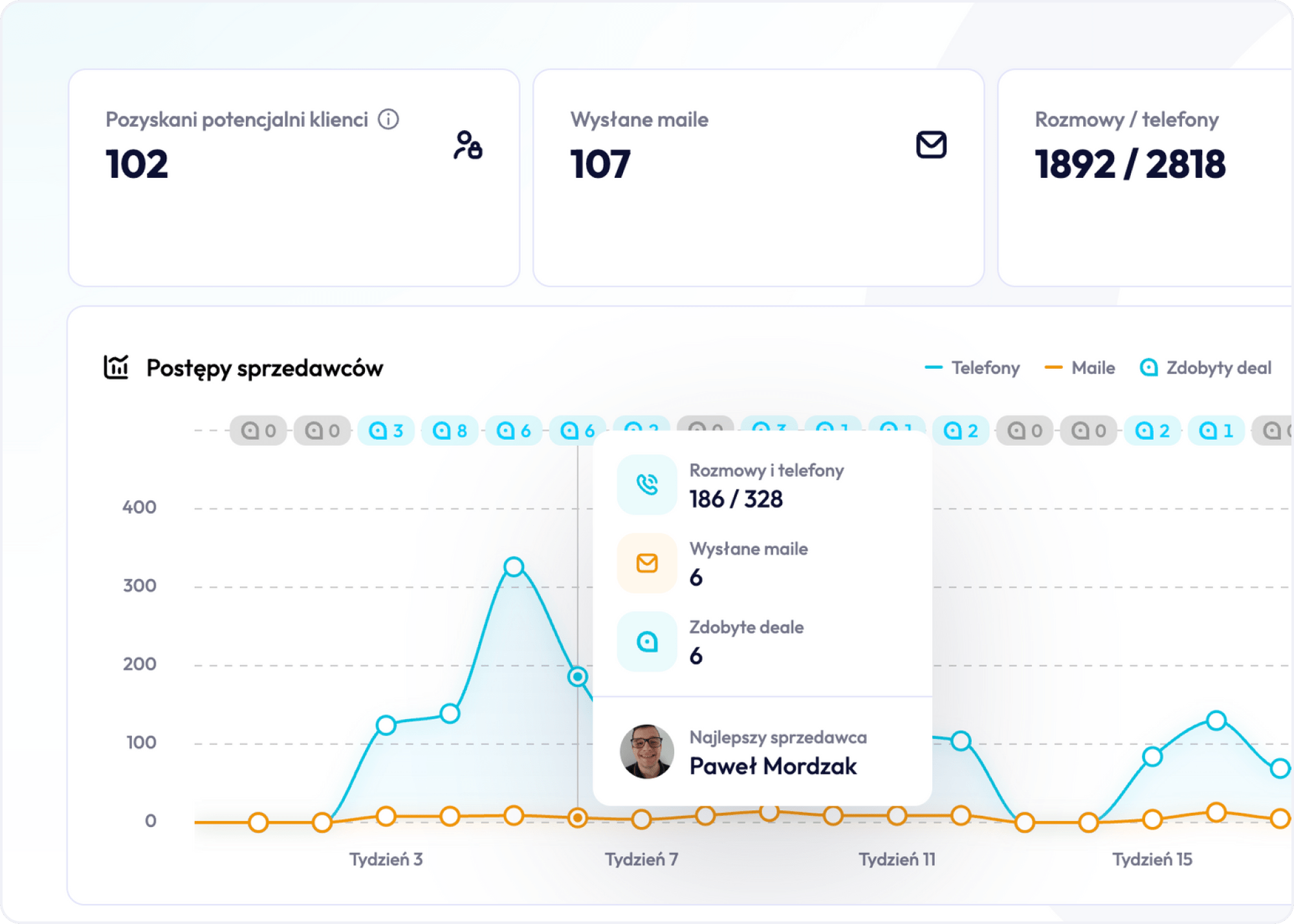
Google Analytics and similar analytics tools show website traffic, entry sources, and user behavior before conversion, but that’s only half the picture. A real assessment of stack performance requires connecting that data with what happens next in the CRM: which sales channels actually lead to closed deals, and which generate traffic with nothing to show for it in revenue.
Data analysis split between marketing and sales, where marketing only looks at lead volume and sales only looks at closed deal count, doesn’t answer the question of which link in the stack is actually working. Only combining these two views into one report reveals, for instance, that the campaign generating the most leads isn’t the one generating the most signed contracts.
Companies that regularly cross-reference marketing tool data with sales results catch the moments a given channel is running dry sooner, before the drop only shows up in the quarterly numbers.
Common Mistakes When Building a GTM Stack and Their Cost to the Pipeline
The most common mistake is buying a tool as a reaction to a single problem, without checking how it’ll affect the rest of the process. A team gets an outreach automation tool because someone saw it at a conference, and three months later it turns out to duplicate a function already sitting in the CRM under a different name.
Another recurring problem is the lack of a single owner for the entire GTM stack. Marketing manages its own tools, sales manages its own, and nobody’s responsible for making sure data flows consistently between them. The result is duplicate data entry, numbers that don’t match, and distrust in reports on both sides.
A third mistake, the most costly long-term, is treating lead generation as a one-time process rather than ongoing database maintenance. A company invests in a campaign, fills the CRM with contacts, and doesn’t come back to verify whether that data is still accurate for six months.
Building an effective GTM stack doesn’t start with choosing tools, it starts with deciding who’s responsible for the consistency of the whole process, from first contact with a prospect through contract renewal. Only on that foundation does it make sense to pick specific tools, test them with a small part of the team, and expand the rollout only where it actually shortens the path from lead to signed deal.