B2B Sales Automation and GTM Workflows
Sales automation in B2B is no longer a competitive advantage—it’s becoming the foundation for scalable growth. Organizations handling large volumes of leads and complex buying journeys quickly discover that managing sales manually creates bottlenecks, inconsistent follow-up, and poor visibility across the pipeline.
Sales automation brings structure to the sales process by eliminating repetitive manual work and replacing it with repeatable, measurable workflows. Instead of spending time updating spreadsheets or moving data between systems, sales teams can focus on building relationships and closing opportunities.
In practice, sales automation means connecting tools, customer data, and communication into one integrated system. It can support lead generation, customer engagement, reporting, pipeline management, and many other stages of the sales process.
When implemented correctly, automation shortens sales cycles while allowing sales teams to manage significantly more opportunities without increasing headcount.
Why Sales Automation Has Become the Standard in B2B
The number of customer acquisition channels continues to grow.
At the same time, buyers expect faster responses and more personalized communication.
Manual sales processes simply can’t keep pace.
Modern sales automation isn’t driven by technology alone.
It depends on well-designed processes and high-quality customer data.
Organizations that successfully combine CRM platforms with automation tools consistently improve sales performance because their teams spend less time on administration and more time selling.
How Sales Automation Improves Sales Performance
One of the most immediate benefits of automation is improved operational efficiency.
Repetitive administrative tasks no longer require manual effort, allowing sales representatives to manage larger numbers of qualified opportunities.
Instead of spending valuable time updating records or scheduling reminders, sales teams focus on activities that directly influence revenue, such as:
- Qualifying leads
- Running sales conversations
- Closing opportunities
Automation also gives sales managers better visibility into pipeline performance through real-time reporting and centralized customer data.
That makes decision-making significantly faster while reducing operational costs.
Mapping the Sales Process Before Automating It
Successful automation always begins with understanding the existing sales process.
Without a clear process map, companies often automate inefficiencies instead of eliminating them.
A sales process map should include every major customer interaction—from the first lead through qualification, opportunity management, and deal closure.
Only after those stages are clearly defined can automation support the process effectively.
A well-designed workflow also improves pipeline visibility, helping sales leaders identify delays, bottlenecks, and opportunities for optimization before implementing automation.
Finding Bottlenecks in the Sales Process
Many organizations assume they need more leads.
In reality, the biggest problems often appear much later in the customer journey.
Common bottlenecks include:
- Slow lead response times
- Missed follow-ups
- Outdated customer information
- Inconsistent sales execution
Sales automation helps eliminate these issues by ensuring critical actions happen automatically rather than depending on manual reminders.
Instead of reacting after opportunities have already been lost, organizations gain continuous visibility into pipeline performance and can optimize processes in real time.
How to Build a Sales Automation Strategy
Sales automation should never be implemented as a collection of disconnected tools.
It should be introduced as a structured business initiative designed to improve the entire sales process.
A successful automation project typically follows four stages:
- Analyze the current sales process
- Design the future workflow
- Implement the technology
- Continuously optimize performance
Every stage should be driven by real business requirements rather than software capabilities.
The most successful implementations begin with simple, repetitive activities—such as automated follow-ups or email sequences—before expanding into more advanced workflows like customer service automation or intelligent reporting.
Planning a Successful Automation Implementation
Technology is only one part of the equation.
A successful implementation also requires changes to the way the sales team works.
Organizations should begin by:
- Selecting the right automation tools
- Implementing a CRM platform
- Integrating customer data
- Standardizing sales workflows
Every system should work as part of one connected ecosystem.
Disconnected tools create fragmented customer experiences, duplicate work, and unreliable reporting.
Consistency—not complexity—is what makes automation scalable.
Moving from Sales Chaos to a Structured System
Many sales organizations rely on disconnected software, spreadsheets, and individual sales habits.
Automation provides an opportunity to replace that chaos with a standardized operating model.
For sales representatives, automation means spending less time on administrative work and more time on activities that directly generate revenue.
Examples include:
- Customer conversations
- Opportunity qualification
- Relationship building
- Closing deals
Automation should always support salespeople rather than replace them.
Introducing automation gradually makes adoption significantly easier while allowing teams to refine workflows as they grow.
CRM as the Center of Sales Automation
A CRM platform sits at the heart of every modern sales automation strategy.
It stores customer information, interaction history, sales opportunities, and pipeline data in one centralized system.
Modern CRM platforms do far more than organize information.
They automate many day-to-day sales activities, including:
- Pipeline management
- Activity tracking
- Customer communication
- Sales reporting
Because CRMs integrate with marketing, customer support, and other business systems, they become the operational foundation of an entire Go-to-Market strategy.
How CRM Supports Sales Automation
Customer Relationship Management (CRM) platforms automate many activities that sales teams previously handled manually.
For example, CRM workflows can automatically:
- Generate proposals
- Schedule reminders
- Send welcome emails
- Trigger follow-up sequences
Those automations improve customer experience while reducing administrative work for sales representatives.
CRM also gives sales managers complete visibility into team performance, making it much easier to identify bottlenecks and improve forecasting.
Choosing the Right CRM for Sales Automation
Not every CRM is equally suited to automation.
The best platform depends on how your sales organization operates.
Key evaluation criteria include:
- Workflow automation capabilities
- Integration with other business tools
- Ease of implementation
- Scalability
The CRM shouldn’t simply support today’s sales process.
It should continue supporting the business as it grows.
Successful CRM implementation is never an isolated technology project.
It’s one part of a broader sales automation strategy.
Pipedrive as a CRM for Sales Automation
Among modern CRM platforms, Pipedrive is one of the most popular choices for B2B companies looking to organize their sales process and introduce automation without unnecessary complexity.
Pipedrive supports the entire sales workflow—from lead generation and pipeline management to opportunity tracking and deal closure.
Its automation capabilities include:
- Automated reminders
- Email workflows
- Sales reports
- Activity tracking
- Pipeline automation
Instead of relying on manual follow-ups, sales teams work within a structured system where routine activities happen automatically.
The result is greater consistency, faster response times, and improved pipeline visibility.
How Pipedrive Helps Sales Teams
Pipedrive gives sales managers and representatives a clear overview of every opportunity moving through the pipeline.
Instead of searching through emails or spreadsheets, teams immediately understand:
- Which opportunities require attention
- Which deals are at risk
- Which activities have already been completed
This visibility improves forecasting while making sales management far more proactive.
Automation also shortens sales cycles by ensuring that no opportunity is forgotten simply because someone missed a reminder.
Implementing a CRM with Pipedrive
Successful CRM implementation begins long before the software is configured.
The first step is understanding how the sales process actually works.
Implementation typically includes:
- Mapping the sales pipeline
- Configuring automation workflows
- Integrating external tools
- Training the sales team
Automation should always reflect existing business processes rather than forcing the organization to adapt to default software settings.
Companies that invest time in designing their CRM properly often see measurable improvements within the first few months.

Lead Generation in an Automated Sales System
Lead generation is one of the areas where automation delivers immediate value.
Instead of manually importing contacts from multiple sources, organizations can automatically capture leads from:
- Website forms
- Marketing campaigns
- Outbound prospecting
- Third-party integrations
Qualified leads flow directly into the CRM, where automation assigns ownership, triggers follow-up activities, and keeps the sales process moving without manual intervention.
Fast response times significantly increase the likelihood of converting new opportunities into customers.
Scaling Lead Generation with Automation
Automation allows businesses to generate leads across multiple acquisition channels simultaneously.
Rather than increasing headcount, organizations scale through better processes.
Sales automation helps teams:
- Capture more qualified leads
- Respond faster
- Personalize communication
- Measure campaign performance
The result is more opportunities entering the sales pipeline without a proportional increase in operational costs.
Lead Segmentation and Qualification
Not every lead deserves the same level of attention.
Automation helps prioritize opportunities by segmenting and qualifying leads based on customer data and predefined business criteria.
CRM workflows can automatically:
- Assign leads to the right sales representative
- Prioritize high-value opportunities
- Route prospects into different sales workflows
Better segmentation improves customer experience while allowing sales teams to spend more time with the prospects most likely to convert.
Lead Nurturing Through Automation
B2B buying decisions rarely happen after the first interaction.
Lead nurturing keeps prospects engaged throughout longer buying cycles.
Automation allows businesses to maintain consistent communication without requiring manual follow-up after every interaction.
Instead of relying on memory, workflows automatically deliver relevant content at the right stage of the customer journey.
This strengthens relationships while increasing the likelihood that prospects eventually become customers.
Email Marketing and Automated Campaigns
Email remains one of the most effective automation channels in B2B sales.
Automated email workflows respond to customer behavior rather than fixed schedules.
For example, workflows can trigger messages based on:
- Form submissions
- Website activity
- Previous engagement
- Pipeline stage
This makes communication far more relevant than traditional bulk email campaigns.
Automation supports both lead generation and ongoing nurturing while helping sales teams maintain regular contact throughout the buying process.
Building Customer Relationships Through Sales Automation
Customer relationships don’t end after the first sale.
In B2B, long-term growth depends on maintaining consistent communication throughout the customer lifecycle.
Sales automation helps organizations stay connected without increasing the workload of the sales team.
Automated workflows can:
- Send follow-up messages
- Trigger customer check-ins
- Personalize communication
- Schedule future touchpoints
The objective isn’t to replace human interaction.
It’s to ensure valuable opportunities aren’t lost because someone forgot to follow up.
Well-designed automation strengthens customer relationships while allowing sales teams to focus on conversations that require a personal approach.
Operational Sales Automation
Sales automation isn’t limited to lead generation and marketing.
Many of its biggest benefits appear in day-to-day operational activities.
Routine tasks such as assigning leads, updating records, and managing follow-ups consume significant amounts of time when handled manually.
Automation eliminates these repetitive activities, allowing sales representatives to concentrate on higher-value work.
For growing sales organizations, operational automation becomes essential for maintaining consistency as pipeline volume increases.

Automating Repetitive Sales Tasks
Some sales activities create value.
Others simply consume time.
Automation should eliminate the latter.
Typical examples include:
- Assigning leads
- Updating deal stages
- Scheduling reminders
- Sending follow-up emails
Automating these tasks reduces administrative work while improving data quality.
Sales representatives spend more time selling.
Managers gain more reliable pipeline visibility.
Everyone benefits from greater consistency.
Automated Proposal Generation and Order Processing
Preparing proposals manually often slows the sales process unnecessarily.
Automation allows businesses to generate proposals using existing customer and opportunity data stored inside the CRM.
Once a proposal is accepted, automated order workflows can move the customer directly into onboarding or implementation without manual intervention.
This reduces delays between sales stages while shortening the overall customer journey.
Faster execution also improves customer experience because fewer administrative steps delay project delivery.
Automating Customer Communication
Consistent communication is one of the biggest challenges in B2B sales.
Automation ensures that prospects and customers continue receiving relevant information even when sales representatives are managing dozens of active opportunities.
Automated communication can include:
- Follow-up emails
- Meeting confirmations
- Reminder messages
- Customer updates
Because workflows react to customer activity, communication remains timely without requiring constant manual effort.
Automated Reminders for Meetings, Contracts, and Payments
Missed follow-ups create unnecessary revenue loss.
Automation prevents this by generating reminders before important events occur.
Organizations commonly automate reminders for:
- Sales meetings
- Contract renewals
- Outstanding invoices
- Customer follow-ups
These reminders improve internal organization while helping maintain stronger customer relationships.
Instead of relying on memory, sales teams rely on systems.
SMS Automation and Customer Support
Email isn’t always the fastest communication channel.
SMS automation complements email by providing immediate notifications for time-sensitive interactions.
Businesses often use SMS for:
- Appointment reminders
- Payment notifications
- Customer confirmations
Combining email and SMS within one automation strategy creates a more consistent customer experience while improving response rates.
Customer Data and Automated Reporting
Customer data forms the foundation of every successful automation strategy.
Without reliable data, workflows quickly become inaccurate and difficult to manage.
Automation helps maintain customer records by:
- Updating information automatically
- Synchronizing systems
- Eliminating duplicate data
At the same time, automated reporting provides real-time visibility into sales performance without requiring manual report preparation.
Sales leaders can monitor pipeline health, identify bottlenecks, and make faster decisions based on current data rather than outdated spreadsheets.
Reliable reporting turns automation into a management tool—not just an operational one.

Automated Customer Data Management
Customer data is only valuable when it’s accurate, complete, and easily accessible.
Sales automation helps maintain data quality by automatically updating customer records, synchronizing information across systems, and reducing manual data entry.
This creates a single source of truth for the entire sales organization.
Instead of searching through multiple tools, sales representatives have immediate access to customer history, previous interactions, and current pipeline status.
Better data also improves personalization, reporting, and decision-making throughout the sales process.
Automated Reporting and Sales Analytics
Sales reports shouldn’t require hours of manual work.
Automation allows organizations to generate reports in real time, giving sales managers continuous visibility into team performance and pipeline health.
Instead of compiling spreadsheets, businesses can instantly monitor:
- Pipeline performance
- Sales activity
- Conversion rates
- Team productivity
These insights help identify bottlenecks much earlier, allowing organizations to improve the sales process before small issues become major problems.
Pipeline Management and Closing More Deals
Closing opportunities is where every sales process is ultimately measured.
Automation helps keep deals moving by ensuring that no important activity is overlooked.
CRM workflows can automatically:
- Assign follow-up tasks
- Trigger reminders
- Update opportunity stages
- Notify sales representatives about inactive deals
Instead of relying on memory, every opportunity follows a structured process.
That consistency improves forecasting while increasing the likelihood of closing more deals.
How Automation Increases Sales Opportunities
Automation doesn’t create demand.
It helps organizations respond faster when opportunities appear.
New leads can be:
- Assigned immediately
- Qualified automatically
- Routed to the appropriate sales representative
- Entered into nurturing workflows
The faster a qualified lead receives a response, the higher the probability of conversion.
Automation eliminates delays that often occur when sales teams rely on manual processes.
Shortening the Sales Cycle
One of the biggest business benefits of automation is a shorter sales cycle.
Delays between sales stages often happen because follow-ups, approvals, or customer communication depend on manual action.
Automation keeps opportunities moving by triggering the next step immediately after the previous one is completed.
Examples include:
- Automated follow-up emails
- Meeting reminders
- Proposal delivery
- Internal task assignments
Removing unnecessary waiting time allows businesses to close deals faster while improving the customer experience.
Integrating Automation Tools into a GTM Workflow
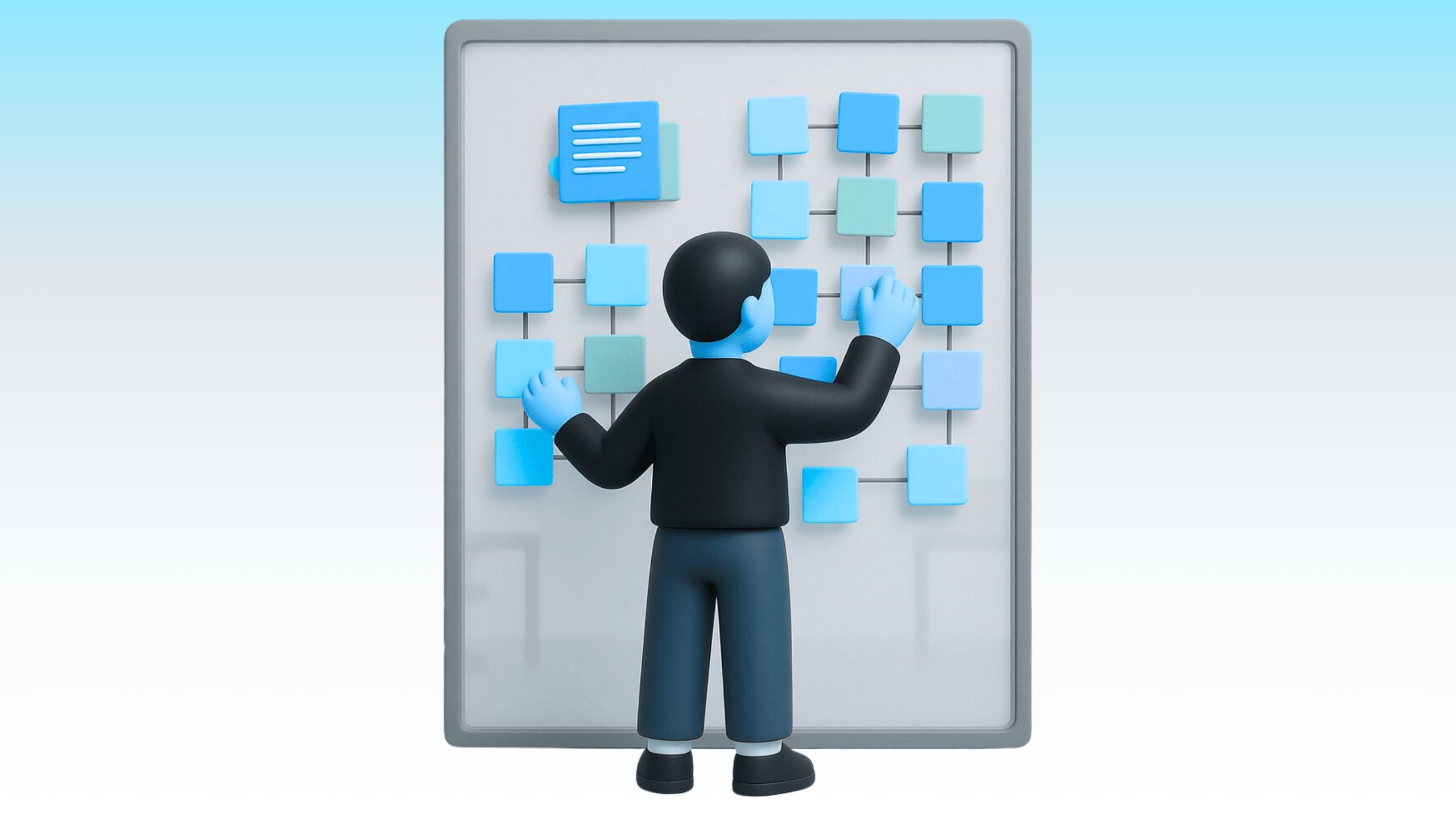
Automation becomes significantly more valuable when every sales tool works together.
Instead of operating separate systems for CRM, email marketing, customer support, and reporting, organizations should build one connected Go-to-Market workflow.
A typical GTM workflow connects:
- Lead generation
- Lead nurturing
- Sales pipeline management
- Customer onboarding
Every stage shares customer data automatically, creating one consistent process from first contact to closed deal.
Without integration, businesses create disconnected customer experiences and duplicate administrative work.
Connecting CRM, Email Marketing, and Customer Support
The strongest automation strategies integrate CRM platforms with marketing and customer support systems.
Information flows automatically between tools without requiring manual updates.
For example:
- Marketing-qualified leads enter the CRM automatically.
- Sales activities update customer records in real time.
- Customer support teams gain immediate access to sales history.
This creates a consistent customer experience while reducing administrative effort across departments.
Instead of isolated systems, organizations operate one connected commercial ecosystem.
Artificial Intelligence and Sales Automation
Artificial intelligence is becoming an increasingly important part of sales automation.
Rather than replacing salespeople, AI improves decision-making by analyzing customer data and recommending the next best action.
Examples include:
- Lead prioritization
- Opportunity scoring
- Customer behavior analysis
- Sales recommendations
AI allows sales teams to focus attention where it’s most likely to generate revenue.
As automation continues to evolve, intelligent decision support will become just as important as workflow automation itself.
The future of B2B sales isn’t simply about automating tasks.
It’s about combining automation, customer data, and AI into one integrated Go-to-Market system.
How AI Supports Sales Automation
Artificial intelligence is transforming sales automation by helping organizations make faster and better decisions throughout the sales process.
Instead of simply automating repetitive tasks, AI analyzes customer behavior, identifies patterns, and recommends the next best action for each opportunity.
Modern AI-powered sales automation can support:
- Lead qualification
- Opportunity prioritization
- Customer behavior analysis
- Sales forecasting
- Personalized communication
The goal isn’t to replace sales representatives.
It’s to help them spend more time on high-value conversations and less time deciding what to do next.
Organizations that combine automation with AI can improve productivity while making their sales process significantly more consistent.
The Future of B2B Sales Automation
Sales automation will continue evolving beyond workflow automation.
Future systems will combine CRM data, artificial intelligence, and customer engagement into one connected operating model.
Rather than reacting to customer activity, businesses will increasingly predict buyer behavior and automate decisions before delays occur.
Future automation will focus on:
- Smarter lead routing
- Predictive sales insights
- Automated opportunity management
- Real-time workflow optimization
The companies gaining the greatest competitive advantage won’t necessarily use more software.
They’ll build better-connected systems.
Common Sales Automation Mistakes
Many automation projects fail because businesses begin with technology instead of strategy.
Installing automation tools without understanding the sales process usually creates more complexity rather than greater efficiency.
The most common mistakes include:
- Automating broken processes
- Using disconnected software
- Working with inconsistent customer data
- Failing to define clear ownership of the sales process
Automation should simplify operations—not make them more complicated.
Before implementing new technology, organizations should first understand how their sales process actually works.
Why Sales Automation Requires a Strategy
Automation succeeds only when it’s supported by a clear commercial strategy.
The same software can produce completely different results depending on how it’s implemented.
A successful automation strategy defines:
- Business objectives
- Sales processes
- Customer journey
- Technology architecture
Without those foundations, automation simply accelerates existing problems.
Organizations often mistake software implementation for digital transformation.
The real transformation comes from redesigning how sales operates.

Avoiding Chaos During Implementation
Introducing automation gradually almost always produces better results than attempting to automate everything at once.
A phased implementation allows businesses to:
- Validate workflows
- Improve data quality
- Train sales teams
- Optimize processes before scaling
CRM should become the operational center of the entire automation strategy.
Once customer data, communication, and sales activities are connected, additional automation becomes significantly easier to implement.
The Business Benefits of Sales Automation
When implemented correctly, sales automation delivers benefits across the entire commercial organization.
Organizations typically achieve:
- Higher sales productivity
- Faster response times
- Lower operational costs
- Improved customer experience
- Better forecasting
- Greater pipeline visibility
Most importantly, automation creates consistency.
Instead of relying on individual habits, every opportunity follows the same structured process.
That makes revenue growth far more predictable.
Improving the Sales Process Through Automation
Sales automation is fundamentally about improving the process rather than adding more technology.
Organizations that continuously analyze workflows, remove bottlenecks, and optimize customer interactions consistently outperform businesses relying on manual execution.
Automation makes those improvements repeatable.
Once an effective workflow has been designed, it can be executed consistently across the entire sales organization.
Customer Experience, Response Time, and Cost Efficiency
Customer experience is becoming one of the strongest competitive advantages in B2B sales.
Fast response times often determine whether a sales opportunity moves forward or disappears.
Automation helps organizations respond immediately by:
- Assigning leads automatically
- Triggering communication workflows
- Delivering customer context to sales representatives
At the same time, automation reduces customer service costs by increasing the capacity of existing sales teams instead of requiring additional headcount.
Businesses handle more opportunities while maintaining a consistent customer experience.
Real-World Sales Automation Examples
The strongest automation strategies connect multiple business processes into one continuous workflow.
A typical example looks like this:
- A new lead enters the CRM.
- The lead is automatically qualified and assigned.
- A personalized nurturing sequence begins.
- The sales representative joins the conversation at the right moment.
- The opportunity progresses through the pipeline until it’s closed.
Every stage is connected.
No manual handoffs.
No lost opportunities.
No disconnected customer experience.
Sales Automation for Modern Sales Teams
Automation isn’t about replacing salespeople.
It’s about removing everything that prevents them from selling.
Administrative work, repetitive updates, and manual follow-ups create little business value.
Customer conversations do.
By automating operational activities, sales teams can spend more time understanding customer needs, building relationships, and closing opportunities.
That’s where automation creates its greatest return.
Conclusion
B2B sales automation isn’t about implementing a single tool.
It’s about building one connected Go-to-Market workflow that links lead generation, CRM, customer communication, reporting, and AI into a unified system.
Organizations that automate isolated activities gain incremental improvements.
Organizations that automate the entire sales process build a scalable commercial engine.
The difference isn’t the software.
It’s the system behind it.